
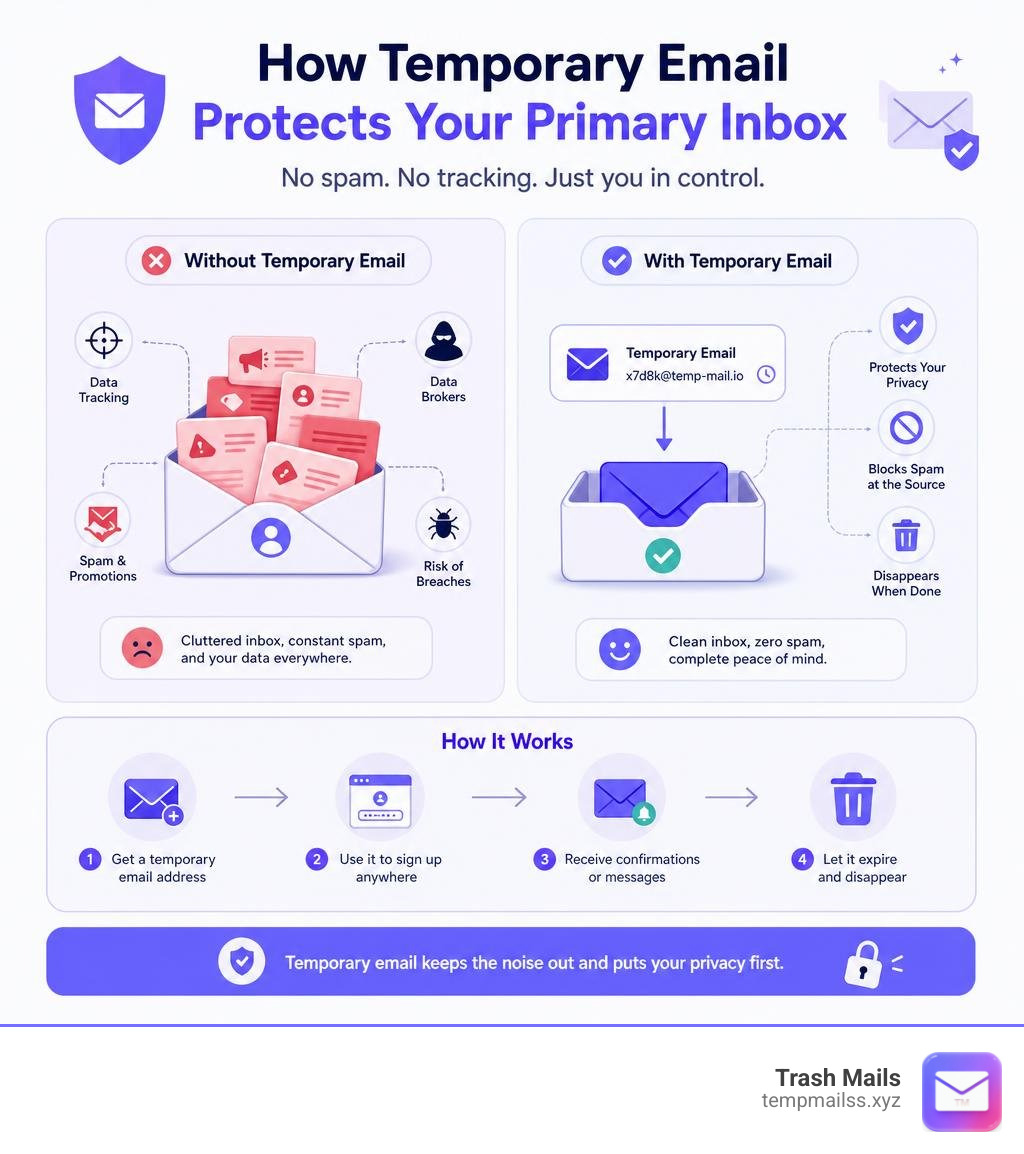
Your Real Inbox Deserves Better Than Spam

A temporary email address is a disposable, short-lived inbox you can use in place of your real email — then throw away when you're done.
Here's the quick answer if that's all you need:
- What it is: A free, instant email address that self-destructs after a set time
- What it does: Receives messages (sign-up confirmations, OTPs, download links) without exposing your real inbox
- How to use it: Visit a temp mail service, copy the auto-generated address, paste it into any sign-up form, and check the inbox for your message
- How long it lasts: Anywhere from 10 minutes to 7 days, depending on the service
- Is it legal? Yes — completely legal and widely used by millions of people worldwide
Think about the last time you signed up for a free trial, downloaded a PDF, or joined a forum. Chances are you handed over your real email address. And chances are, your inbox paid the price.
Nearly every app and website today asks for an email before letting you in. Most of them turn that address into a marketing list. Some sell it. Others get breached — and suddenly your personal address is floating around in a spam database you never agreed to join.
That's the problem temporary email was built to solve.
Services like Trash Mails let you generate a working inbox in under a second — no sign-up, no personal information, nothing tied back to you. Use it once, then let it disappear.
Over 10 million people use disposable email services every month. It's not a niche privacy trick anymore — it's a basic habit for anyone who wants to stay in control of their online presence.
This guide covers everything: how it works, when to use it, and when not to.
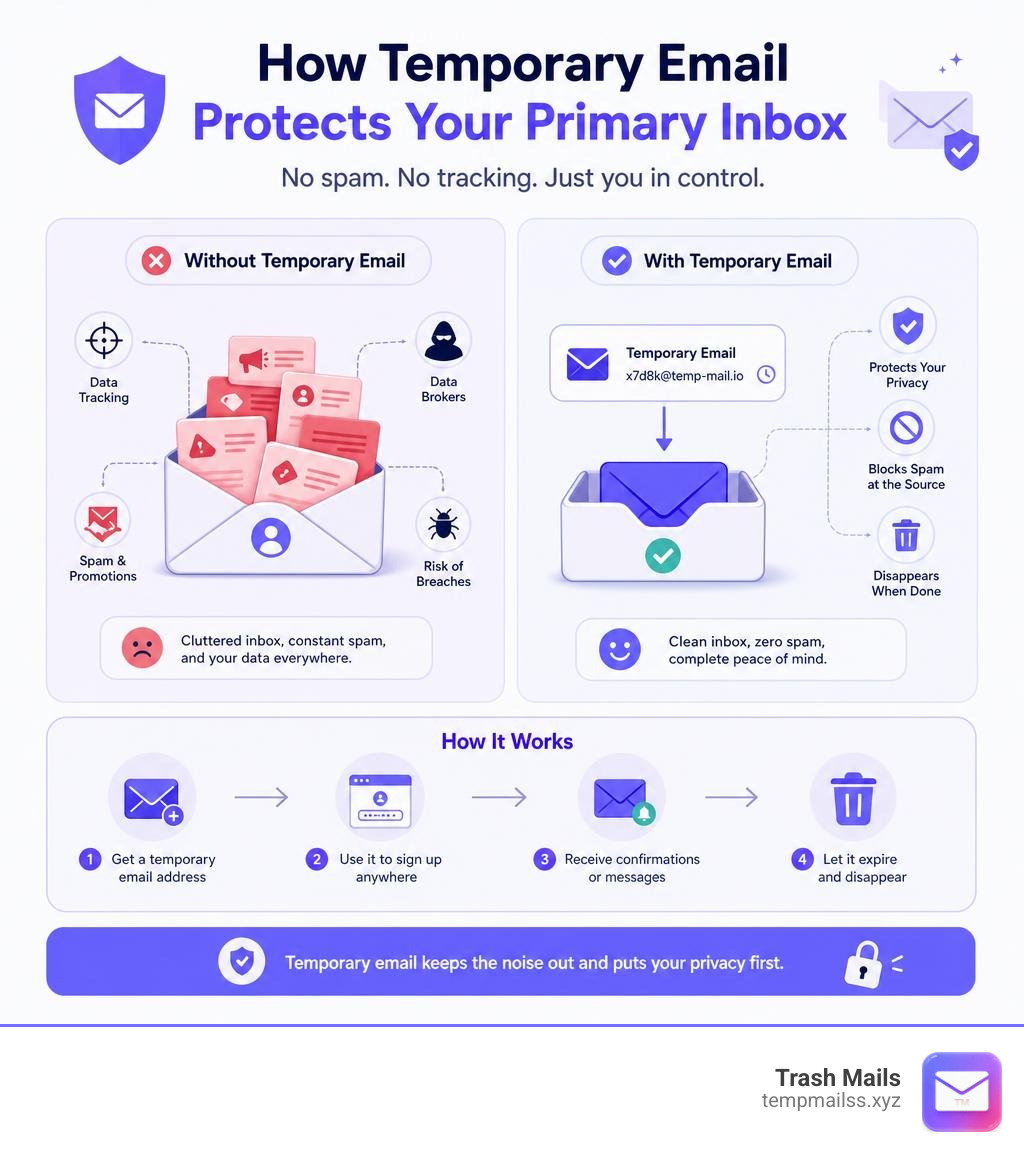
What is a Temporary Email and How Does It Work?
At its core, a temporary email (also known as a disposable email, burner address, or throwaway email) is a fully functional email inbox that requires absolutely no registration, password, or personal details to create.
When you visit a service like the Trash Mails - Free Temp Mail Generator, our system instantly assigns you a unique, randomly generated email address. This happens in less than a second. The magic lies in how the backend infrastructure handles these inboxes. Unlike traditional email providers like Gmail or Outlook, which are designed to store gigabytes of your digital life forever, temp mail services are built to be transient.
Here is how the underlying technology operates:
- Receive-Only Architecture: Most disposable email addresses are strictly receive-only. This design choice prevents bad actors from using the service to send outbound spam, phishing attacks, or malicious messages. It keeps the domain reputation clean and ensures your verification codes arrive instantly.
- Session-Locked Privacy: Your temporary inbox is tied directly to your active browser session or a unique access token. This means that as long as you keep your browser tab open, the inbox belongs to you. No one else can guess your address and read your messages, providing a secure, private window for your incoming mail.
- Domain Rotation: Because some platforms try to block disposable email domains, we constantly rotate our domain pool. This means the domain suffix of your temporary address (e.g.,
@something.com) changes regularly to stay one step ahead of website blocklists, ensuring high deliverability for your verification codes in June 2026.
By combining these technical elements, a temporary email acts as a buffer. It stands between your private digital identity and the noisy, often insecure world of the public internet.
How a Temporary Email Address Protects Your Privacy
Every time you share your real email address online, you leave a digital footprint. Modern marketers and data brokers use tracking pixels embedded inside marketing emails. The moment you open one of these messages, the sender learns your geographic location, what device you are using, and when you opened the mail.
Furthermore, database breaches are an unfortunate reality of the modern web. If a forum you signed up for five years ago gets hacked, your email address and password combination could end up on the dark web.
Using a disposable inbox changes the game entirely:
- Zero Personal Logs: We do not collect your IP address, your name, or your physical location. There is no sign-up form, which means there is no personal data to leak in the first place.
- Pixel Blocking and Secure Rendering: Advanced temp mail services render incoming messages inside secure, sandboxed environments. This blocks external requests, meaning tracking pixels cannot "ping" back to the sender to verify that you are a active target.
- Complete Anonymity: Because the inbox self-destructs, the link between your real identity and the service you signed up for is permanently broken. If a site experiences a data breach, the hackers only get an expired, useless burner address.
Step-by-Step: How to Generate and Use an Address
Using a temporary inbox is incredibly simple and fits perfectly into a browser workflow. Here is exactly how to do it:
- Open the Generator: Navigate to Trash Mails.
- Copy the Address: The site will instantly display a randomly generated email address. Click the "Copy" button to save it to your clipboard.
- Submit the Form: Paste the temporary address into the registration field of the website, app, or Wi-Fi portal you want to access.
- Read the Incoming Mail: Go back to your temporary email browser tab. Within seconds, the inbox will refresh automatically to show your verification code, OTP, or download link.
- Discard or Save: Once you have verified your account or grabbed your file, you can simply close the browser tab. The system will purge the messages automatically. If you need the address for a bit longer, some services allow you to save a session token or QR code to reopen the inbox later.
Common Use Cases and Benefits of Disposable Inboxes
Why are millions of users turning to disposable inboxes? The use cases span from casual daily browsing to professional software development.

Bypassing Mandatory Sign-Ups and Free Trials
We have all been there: you want to read a single article, download a PDF template, or test a new SaaS tool for five minutes. But before you can do anything, you are hit with a mandatory sign-up wall.
Using a temporary email lets you bypass these friction points effortlessly:
- Free Trials without the Spam: Sign up for streaming trials, utility software, or premium online tools without worrying about future billing reminders or marketing campaigns filling your primary inbox.
- Gated Content Downloads: Get immediate access to whitepapers, e-books, and templates. The download link goes to your burner mail, and your real inbox remains pristine.
- Captive Wi-Fi Portals: When logging onto public Wi-Fi at airport terminals, hotels, or local cafes, protect your privacy by using a temporary address to bypass the mandatory splash page.
- Coupon and Discount Codes: Many e-commerce stores offer a 10% discount if you sign up for their newsletter. Use a disposable address to grab the coupon code instantly without committing to a lifetime of promotional emails.
Developer Testing and QA Workflows
If you are a software engineer, web developer, or quality assurance (QA) professional, temporary emails are an indispensable part of your toolkit.
Instead of creating dozens of fake Gmail accounts (which now require phone verification and SMS setup), you can use disposable inboxes to test your application’s email workflows. You can test user registration, password reset flows, and transactional notification templates in real-time.
For advanced workflows, developers can even use specialized APIs to programmatically retrieve messages, run automated sign-up tests, and verify HTML formatting across multiple temporary domains.
Limitations, Risks, and Best Practices for Temporary Emails
While temporary emails are incredibly powerful, they are not a one-size-fits-all solution. Knowing when not to use them is just as important as knowing when to use them.

Why Some Websites Block a Temporary Email
You might occasionally run into a website that displays an error message like: "Please enter a valid email address." This happens because some platforms actively monitor and block known disposable email domains.
Websites do this to prevent spam, limit multiple trial sign-ups from the same user, and avoid platform abuse. To counter this, top-tier temporary email services constantly update and rotate their domain pools. If you find that a specific address is blocked, you can simply change the domain or refresh the generator to get a fresh, unblocked address.
Temporary Emails vs. Standard Email Accounts
Standard email accounts and temporary emails serve completely opposite purposes. A standard account is your digital home—it is built for long-term security, two-way communication, and sensitive personal data. A temporary email is a digital shield—built for speed, convenience, and absolute anonymity.
Here is a quick comparison to help you choose the right tool for the job:
| Feature | Temporary Email (e.g., Trash Mails) | Standard Email (e.g., Gmail) |
|---|---|---|
| Setup Time | < 1 second | 5 to 10 minutes |
| Registration Required | No | Yes (Name, Phone, Password) |
| Primary Purpose | Privacy, Spam Prevention, Quick Testing | Personal Communication, Banking, Official Use |
| Lifespan | Minutes to Days | Permanent |
| Sending Capability | Usually Receive-Only | Full Two-Way Sending & Receiving |
| Security for 2FA | Low (Publicly accessible if address is known) | High (Password protected, 2FA enabled) |
| Recovery Options | None (Once deleted, it is gone forever) | Extensive (Recovery emails, phone codes) |
Best Practice Rule of Thumb: Never use a temporary email for high-stakes accounts. This includes online banking, government portals, primary social media profiles, or any service where you might need to perform account recovery in the future. If you lose access to a temporary inbox, you will not be able to reset your password, and you could be locked out of your account permanently.
Frequently Asked Questions about Disposable Inboxes
Navigating online privacy can raise a few questions. Here are the clear, straightforward answers to the most common queries about disposable inboxes.
Is it safe and legal to use temporary email addresses?
Yes, it is completely legal. Using a disposable email address is a widely accepted privacy practice used by millions of people worldwide. It is structurally no different than using a post office box instead of your home address for mail delivery.
From a safety standpoint, using a temporary email is actually much safer than handing out your real email to untrusted websites. It completely eliminates the risk of your primary address being exposed in future third-party data breaches. For broader privacy context, the European Commission's data protection overview explains why limiting unnecessary personal data exposure is an important online safety principle. Our service at Trash Mails operates with strict security standards, using HTTPS encryption and ensuring no personal data is ever stored or logged.
Can I send emails from a temporary address?
The vast majority of temporary email services, including our standard offering at Trash Mails, are receive-only by design. This is a deliberate security measure. If disposable email providers allowed unrestricted outgoing mail, bad actors would quickly abuse the system to send spam, phishing links, and malicious content, leading to the domains being blacklisted globally.
However, if you require secure two-way communication for short-term projects or anonymous inquiries, specialized secure communication tools offer structured options for managing temporary communication pipelines safely.
How long do temporary emails and received messages last?
The lifespan of a temporary email address depends entirely on the provider and how you interact with it:
- Session-Based: Some services keep the inbox active only as long as your browser tab remains open. The moment you close the tab, the inbox and all its contents are deleted.
- Time-Based: Many services offer set lifetimes, such as 10 minutes, 24 hours, or up to 7 days. For instance, some platforms keep emails stored in volatile memory for 24 hours before permanently purging them.
- App-Based / Premium: If you use dedicated mobile apps, you can often keep addresses active indefinitely through push notifications that ping the server to keep the session alive.
Once a temporary email address expires and is deleted, it cannot be recovered. All messages and attachments are permanently wiped from the servers, leaving no digital footprint behind.
Conclusion
The modern internet is louder and more intrusive than ever. But you do not have to hand over your personal data to every website that asks for it.
Using a temporary email is the simplest, fastest, and most effective way to take back control of your digital privacy. It keeps your primary inbox clean, protects you from security breaches, and lets you browse the web on your own terms.
The next time a website demands your email address for a quick download or a free trial, don't compromise your privacy. Protect your inbox today with Trash Mails—generate your free, instant burner address in one click, and say goodbye to spam forever!










