
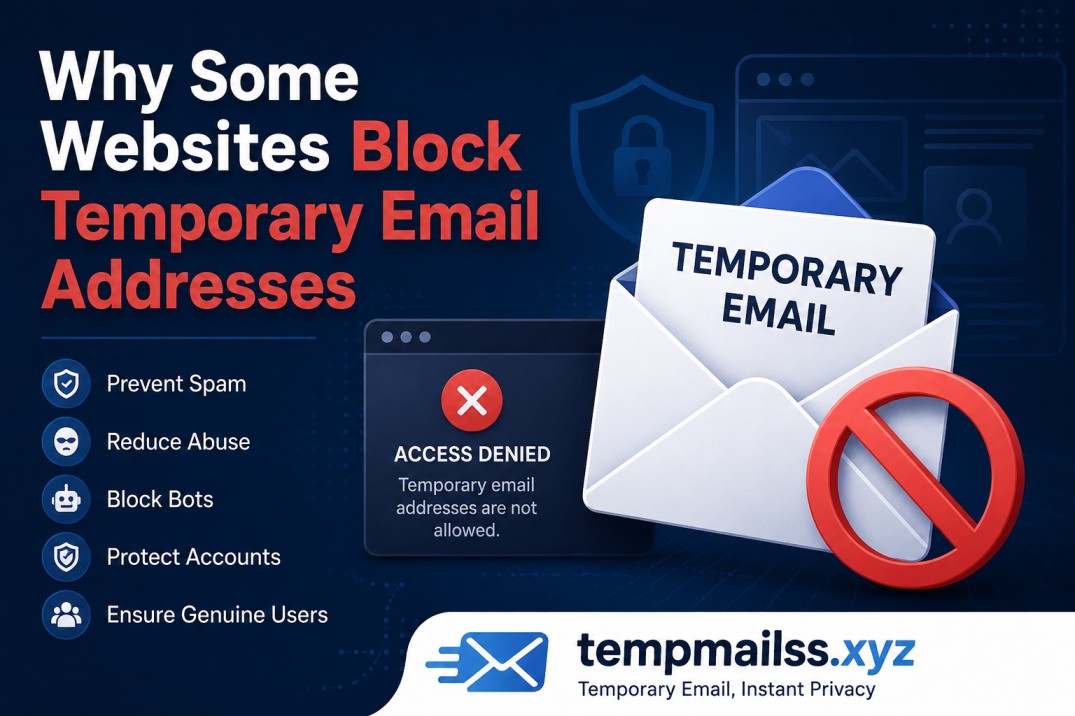
Why Some Websites Block Temporary Email Addresses (And What You Can Do About It)
I still remember the first time a website rejected my temp email. I was signing up for some random online tool just to download a single PDF — you know the type, the ones that ask for your email just to send you a newsletter you never wanted. I popped in a Guerrilla Mail address, hit submit, and got slapped with a red error message: "Please use a valid email address."
My email was perfectly valid. It just wasn't permanent. And that's exactly what ticked them off.
That experience got me curious. I started noticing it more and more — some sites don't care at all, while others seem to be on a crusade against disposable addresses. So I went down a rabbit hole figuring out why, and honestly? The reasons are more nuanced than you'd think.
They're Protecting Their Business Model (More Than You Might Think)
Here's something most people don't realize: when a company offers you a "free" service in exchange for your email, they're not being generous. That email is the product. It goes into a marketing funnel, gets retargeted with ads, gets used to track open rates, and sometimes even gets sold to third-party data brokers.
When you use a temp mail, you're basically handing them a dead-end. Their entire email marketing infrastructure breaks down — no open rates, no click-through data, no way to re-engage you later. For a solo developer running a SaaS tool, that might not matter. But for a mid-size company with a VP of Marketing? That's a problem they'll actively fight.
So the very first reason websites block temp emails is simple: money. Your permanent email has monetary value to them. A disposable one doesn't.
Abuse Prevention Is a Real Concern (Not Just an Excuse)
Okay, but to be fair to websites — the abuse problem is genuine.
I used to run a small web forum a few years back. Nothing big, just a community around a niche hobby. Within the first month, I had people creating dozens of accounts using throwaway emails to spam threads, vote-manipulate polls, or get around bans. Each new temp address gave them a clean slate.
This is a huge problem for:
- Free trial abuse — Someone signs up for a 14-day free trial, uses a temp email, trial expires, they sign up again with a new throwaway. Repeat forever. Software companies like Grammarly, Canva, and Notion have all dealt with this.
- Vote manipulation — On platforms where users can upvote content or vote in polls, temp emails let one person act like many.
- Bypassing bans — If you ban a user for breaking community rules, they can be back in 60 seconds with a new temp address.
- Coupon farming — E-commerce sites often give a discount for first-time signups. Temp email + new account = infinite first-time discounts.
This stuff costs real money and ruins platforms for everyone else. So when a website blocks disposable addresses, sometimes it's genuinely trying to protect the experience for legit users.
How Websites Actually Detect Temp Emails
This was the part that surprised me the most when I first looked into it. Websites don't just wing it — there's actual infrastructure behind this.
Domain blacklists are the most common method. Services like Mailcheck.ai, IsTempMail, and Kickbox maintain constantly-updated lists of known disposable email domains — things like guerrillamail.com, tempmail.net, mailinator.com, and hundreds of others. When you type in your email, the site pings one of these APIs and gets back a simple yes/no: is this a throwaway domain?
MX record checks are slightly more sophisticated. Every real email domain has mail server records (MX records) that point to actual servers. Some temp mail services don't bother setting these up properly. A quick DNS lookup can expose them.
Pattern analysis is used by bigger platforms. If hundreds of signups are coming from the same IP range and all using the same email domain, that's a red flag. Machine learning models can flag suspicious registration patterns even before a human ever looks at them.
Reputation scoring is something companies like SendGrid and Clearbit sell as a service — they assign a "trustworthiness" score to an email address based on dozens of signals. A brand new, never-before-seen address with no social footprint attached to it scores low.
The good news? A lot of these systems aren't perfect. New temp mail domains pop up constantly, and the blacklists are always playing catch-up. Which is why services like tempmailss.xyz can still work on many platforms — they use fresh domains that haven't been flagged yet.
The Platforms That Block Hardest (And Why)
Not all websites are equally aggressive about this. Here's roughly how they break down in my experience:
Very aggressive blockers:
- Banking and fintech apps (for obvious fraud reasons)
- E-commerce platforms with signup discounts (Shopify stores, subscription boxes)
- Gaming platforms (Steam, Epic Games, online multiplayer games — account boosting is a massive problem)
- SaaS tools with generous free tiers (they need to convert free users to paid eventually)
Moderately aggressive:
- News sites with paywall workarounds
- Job boards and professional networks (fake profiles are a real headache)
- Education platforms with free course access
Mostly don't care:
- Small blogs and niche communities that just want your email for a newsletter
- Open-source tools and developer forums (ironic, since developers know exactly what temp mail is)
- Content download sites
If you're dealing with the first category, a temp email almost certainly won't work. If it's the last category, you'll probably be fine.
A Mistake I Made (And Learned From)
I went through a phase where I was using temp mail for literally everything, even services I actually wanted to use long-term. Big mistake.
I signed up for a cloud storage service with a throwaway address, uploaded a bunch of files, and then the temp mail expired. When they needed to send me a password reset link a month later, I was completely locked out. The account was gone for all practical purposes, and with it, everything I'd stored.
The lesson: temp email is a tool, not a lifestyle. Use it when you genuinely don't care about the account or when you're protecting yourself from spam on something you'll use once. Don't use it for anything you might need to access again, recover, or that holds any data you care about.
When Using a Temp Email Is Completely Justified
Look, there's a reason these services exist and millions of people use them every day. Here are situations where reaching for a disposable address is the smart call:
Downloading free resources — You need that free ebook, template, or Figma file. The site wants your email. You'll never visit it again. Temp mail is perfect here.
Testing a website or app — If you're a developer or QA tester checking how a registration flow works, you don't want 40 test accounts cluttering up your real inbox.
Online contests and giveaways — These almost always result in spam. Use a throwaway, win (or not), move on.
Accessing paywalled content once — You want to read one article that wants your email for "free access." A disposable address is the reasonable response to that.
Protecting yourself from data breaches — If a service gets hacked and leaks emails, having used a temp address means your real one isn't in the dump.
Tips for Getting Around Blocks (When It's Legitimate to Do So)
Sometimes you have a perfectly valid reason to avoid giving your real email, but the site blocks temp mail. Here are some approaches that actually work:
1. Use email aliasing services. Tools like SimpleLogin, AnonAddy, or Apple's "Hide My Email" give you a real-looking forwarding address that routes to your actual inbox. These are real addresses that pass every check, but you can delete the alias afterward. This is honestly the best long-term solution.
2. Create a dedicated "junk" email. Just make a Gmail or Outlook account purely for signups. Not glamorous, but it works 100% of the time and gives you a real address with actual history.
3. Use newer temp mail domains. Newer disposable email services — including tempmailss.xyz — rotate through fresh domains that haven't hit the blacklists yet. This works on many sites, just not the most aggressive checkers.
4. Use a catch-all domain if you have one. If you own a domain and have catch-all email set up, you can create unlimited addresses like netflix-signup@yourdomain.com, amazon-account@yourdomain.com, etc. All go to one inbox, all look legitimate, and you can track exactly which service sold your address.
The Privacy Angle Is Real
One thing I want to acknowledge: there's a genuine privacy argument for temp emails that goes beyond just avoiding spam.
When you give a website your real email, you're creating a persistent digital identity that can be tracked across services, matched to other databases, and used to build a profile of your online behavior. Data brokers love this stuff.
Using a throwaway email for one-off signups is a legitimate privacy practice, not just spam avoidance. Services like Firefox's email masking feature and Apple's iCloud+ relay have made this mainstream — which tells you how normalized it's become.
Websites blocking temp email are often doing so for their own interests, not yours. It's worth being clear-eyed about that.
The Cat-and-Mouse Game Isn't Ending Anytime Soon
The reality is that this is an arms race. New temp email domains launch, get flagged, and new ones replace them. Detection APIs get smarter, workarounds get more creative.
For regular users, the practical takeaway is this: know your tool. If you need a temp email for a quick download or a one-time access thing, services like tempmailss.xyz have you covered. If you need something that'll pass even the strictest validation, step up to an email alias service.
And if a site blocks every option you throw at it? That's usually a sign they really, really want your real email — which is exactly when you should think hardest about whether they deserve it.
Got a temp email tip or a website that surprised you by blocking (or not blocking) disposable addresses? Drop it in the comments — I'm always curious to hear what others are running into.










