
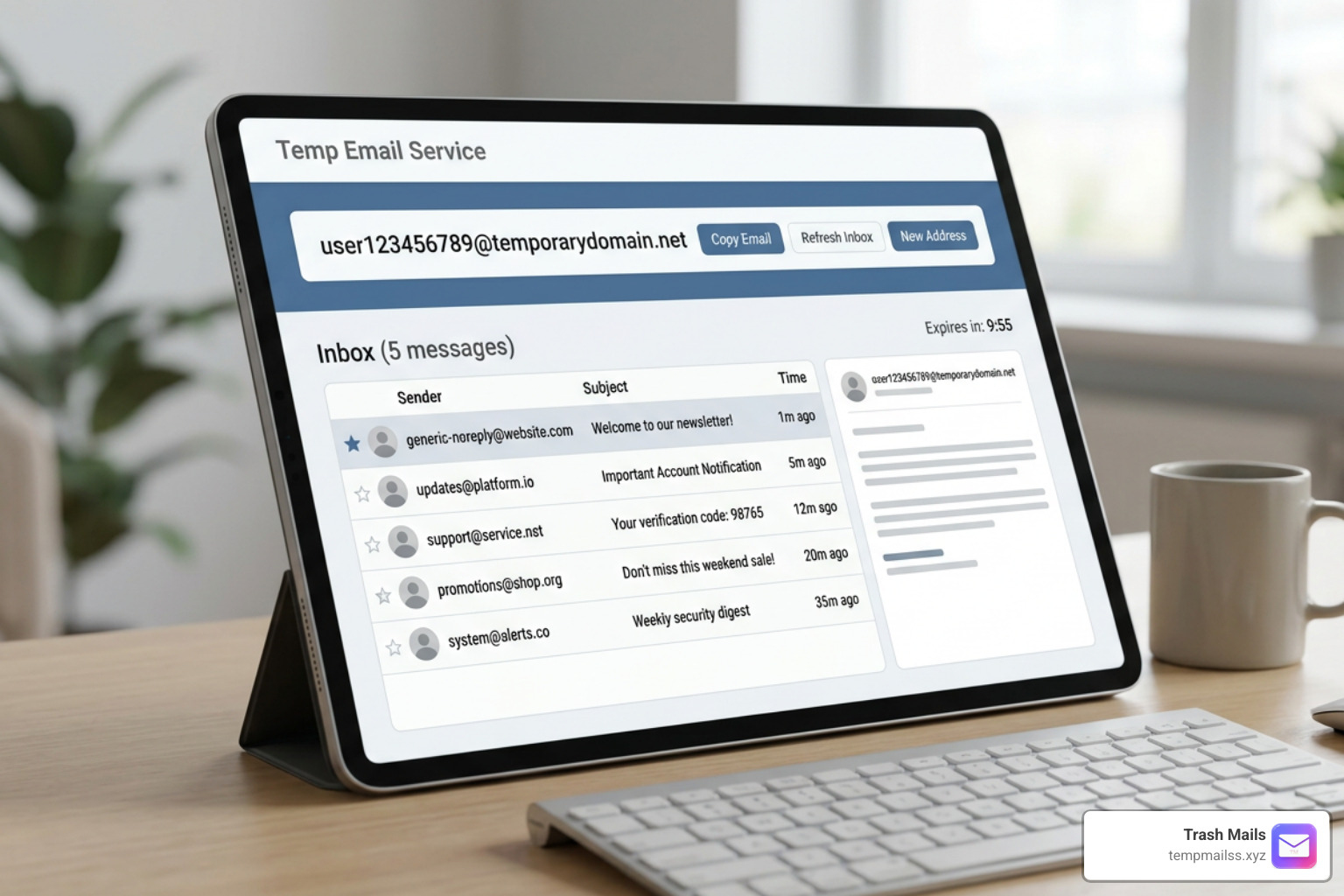
Why a One Time Gmail Is the Fastest Way to Stop Inbox Spam
A one time Gmail address is a temporary, disposable email you can use for sign-ups, downloads, and verifications — without ever exposing your real inbox.
Here's what you need to know right away:
- What it is: A short-lived email address that receives messages just like a real Gmail, then expires automatically
- Why use it: To block spam, protect your privacy, and avoid handing your personal email to every website you visit
- How to get one: Use a disposable email generator — no account, no password, no registration required
- How long it lasts: Typically between 10 minutes and 24 hours, depending on the service
- What it's good for: One-time sign-ups, free trials, app downloads, online forms, and verification codes
- What to avoid: Never use it for banking, social media recovery, or anything you need long-term access to
Think about how many times you've handed over your email just to read an article, grab a free download, or try a new app. Now think about what happened next — the newsletters, the promotions, the spam that never stops.
Over 50% of all emails sent globally every day are spam. And nearly every app or website you sign up for requires an email address to get started.
That's the core problem. Your email address is the key to your digital identity — and most websites treat it like a marketing target the moment you share it.
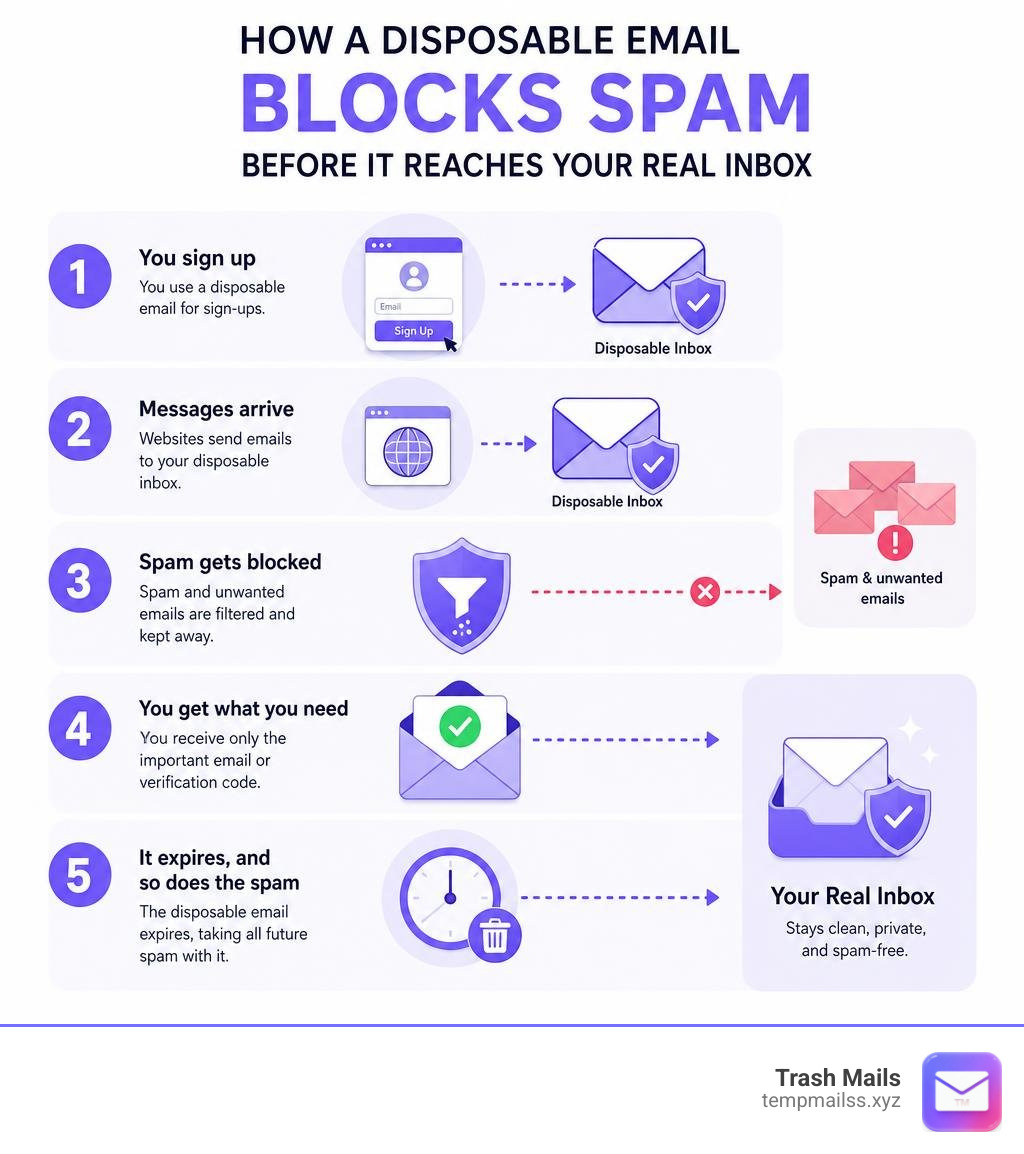
A one time Gmail solves cleanly. You get a working inbox, receive your verification code or welcome email, and then the address simply disappears. No spam. No follow-up. No trace.
What is a one time gmail Address?
A one time Gmail address is a temporary, disposable mailbox engineered to look and act like a standard Gmail account, but without the baggage of permanent storage or personal tracking. When you use our service, you do not have to fill out name forms, link your phone number, or create complex passwords. Instead, you instantly get an active inbox that is ready to receive incoming messages.
Historically, when people needed a "throwaway" account, they had to go through the tedious process of signing up for a secondary Google Account. This meant dealing with Google's strict security protocols, SMS verifications, and CAPTCHAs, only to end up with another account they had to manage. Today, a modern disposable email generator bypasses all of these hurdles.
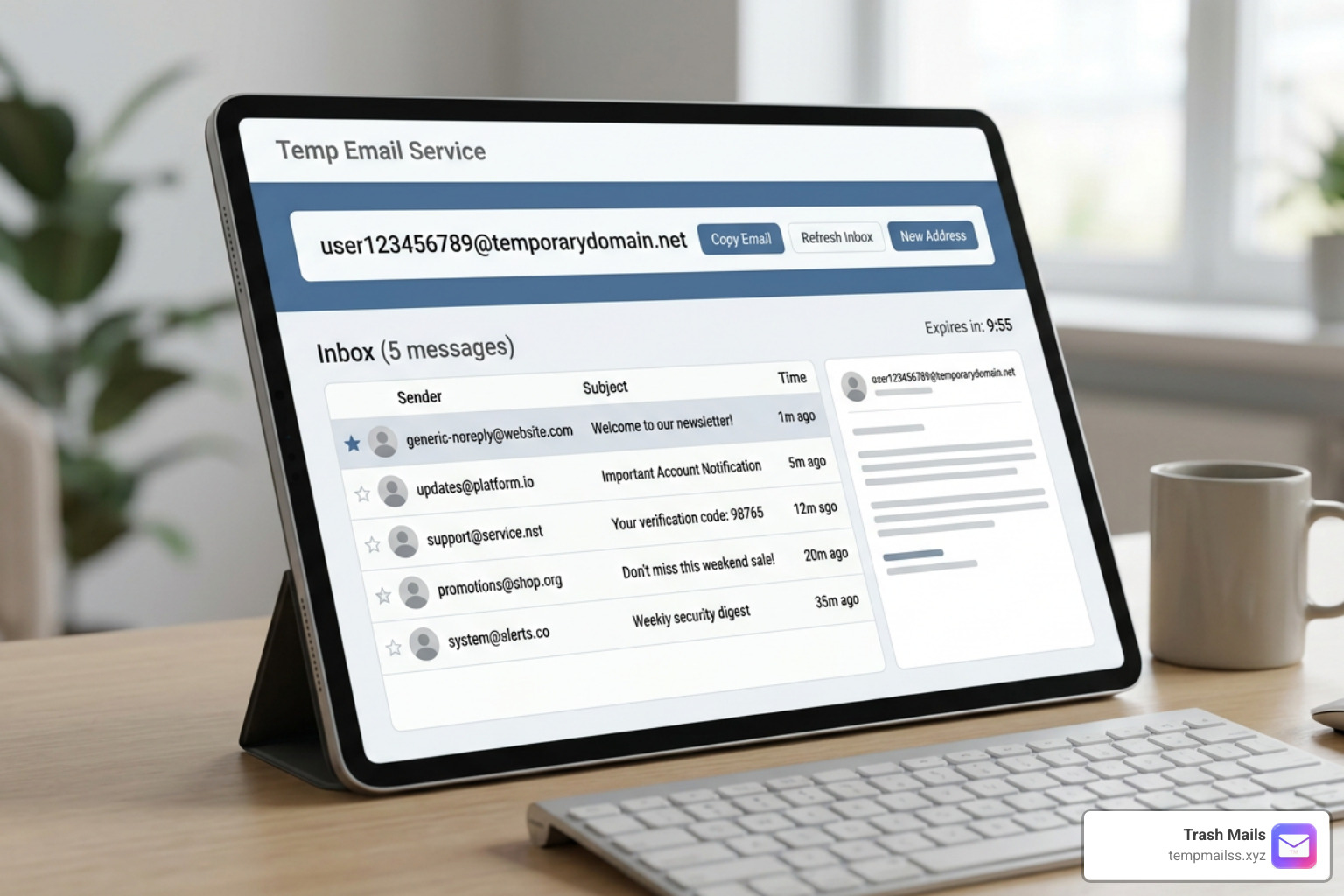
With a temporary inbox, you get a realistic-looking username rather than a random string of suspicious characters. This is a crucial feature because many modern web platforms use automated filters to detect and block obvious "fake" email addresses. By utilizing realistic naming conventions and high-quality domains, a temporary Gmail address slips right past these filters, giving you instant access to the content you want.
How a one time gmail Differs from a Standard Google Account
To understand the value of a temporary address, it helps to compare it directly to a standard Google Account. A standard Gmail account is built for longevity, security, and integration. It connects to your Google Drive, your YouTube history, your browser settings, and your personal data.
To keep that permanent ecosystem secure, Google requires you to Set up recovery options such as a backup email address or a verified phone number. If you ever lose your password, these recovery options are your only way back in.
A temporary Gmail address operates on the exact opposite philosophy. There are no recovery options because there is nothing to recover.
- No Registration: You do not provide a phone number, real name, or location.
- No Verification: You do not have to verify your identity to create the address.
- No Permanent Storage: The inbox and all its contents are designed to self-destruct.
- Domain Diversity: While a standard account is locked to the
@gmail.comdomain, temporary services often rotate domains to ensure maximum deliverability and privacy.
The Technology Behind a one time gmail Generator
Behind the simple interface of a temporary email generator lies a sophisticated infrastructure. When you visit our platform, our mail servers instantly allocate a unique email prefix and link it to an active domain name.
This process relies on specialized MX (Mail Exchanger) records configured on our servers. When a third-party website sends an email to your generated address, our mail server routes the incoming message directly to your browser session in real time using secure, lightweight web protocols.
The most important part of this technology is the automatic cleanup script. Because we process thousands of messages every minute, our servers are optimized to hold data only as long as necessary. Once your session expires or you manually destroy the address, the database records are wiped clean. This means your data does not sit on a server waiting to be harvested by hackers or sold to advertisers.
Why You Need a Temporary Email Address
In the modern digital landscape of June 2026, protecting your online footprint is harder than ever. Nearly 99% of all apps and services we sign up for today require an email address. From downloading a simple PDF menu at a local restaurant to joining a forum to read a single troubleshooting post, you are constantly forced to hand over your contact details.
Once a company has your email, one of two things usually happens:
- They bombard you with automated marketing campaigns, newsletters, and "special offers" that clutter your inbox.
- Their database gets breached, exposing your email address (and potentially your shared passwords) to malicious actors on the dark web.
By using a temporary burner address, you draw a hard line between your real identity and the rest of the internet. If a website gets hacked or decides to sell its user list to data brokers, your primary personal inbox remains completely untouched and safe.
| Feature | Personal Email (Standard Gmail) | Temporary Email (Trash Mails) |
|---|---|---|
| Setup Time | 5 to 10 minutes | Instant (1 second) |
| Anonymity | Low (tied to phone/IP/name) | 100% Anonymous |
| Spam Control | Requires manual filtering and unsubscribing | Automatic (inbox self-destructs) |
| Data Breach Risk | High (exposes permanent identity) | Zero (no personal data attached) |
| Ideal For | Banking, official work, close contacts | Free trials, public Wi-Fi, quick sign-ups |
Real-World Use Cases for Burner Emails
There are dozens of daily scenarios where using a permanent email address is simply unnecessary and risky. Here are some of the most common ways people use burner emails to simplify their digital lives:
- Signing up for Free Trials: Many software-as-a-service (SaaS) platforms offer 7-day or 14-day trials. If you just want to test a tool once without getting locked into a marketing funnel, a temporary email is the perfect solution.
- Bypassing Public Wi-Fi Portals: Airports, hotels, and coffee shops often demand your email address before granting access to their local network. These portals are notorious for tracking your location and sending follow-up marketing. A burner email gets you online instantly without the tracking.
- App Development and QA Testing: If you are a developer or quality assurance engineer, you constantly need to test user registration, password resets, and email notification workflows. Generating dozens of real Google accounts is impossible; generating dozens of temporary inboxes takes seconds.
- Downloading Gated Content: Many blogs and educational sites hide whitepapers, templates, or e-books behind an email wall. You can use a temporary address to receive the download link and keep your primary inbox clean.
Benefits and Limitations of Disposable Email Services
The primary benefit of using a disposable email service is absolute privacy. When you use our temporary addresses, you block the invisible trackers that companies embed in their marketing emails. These trackers can tell a sender exactly when you opened an email, where you were located, and what device you were using.

Furthermore, using a temporary email is a highly effective security layer. For your permanent accounts, you should always Turn on 2-Step Verification to protect your sensitive data from hackers. However, for low-stakes websites, you can bypass the security headache entirely by using a temporary email. If there is no valuable account to hack, you do not have to worry about complex passwords or security breaches.
Key Limitations and Security Risks
While temporary email addresses are incredibly useful, they are not designed for every situation. Understanding their limitations is key to using them safely:
- No Outbound Mail: To prevent malicious actors from using our platform to send spam, phishing links, or abusive messages, our temporary email service is strictly receive-only. You cannot use a burner email to send messages or reply to received emails.
- Public Accessibility Risks: Because temporary inboxes do not require password registration, they are designed for immediate, short-term consumption. If you lose your browser session or cookie data, you may not be able to access that specific inbox again.
- Account Recovery Obstacles: If you sign up for an important service using a temporary email and later forget your password to that service, you will be locked out permanently. The service will attempt to send a recovery link to an email address that no longer exists.
- Platform Bans: Some highly secure platforms, such as major banking institutions or primary social media networks, actively maintain databases of known temporary email domains and will block you from registering with them.
How to Choose a Reliable Temporary Email Provider
Not all temporary email services are created equal. When selecting a provider to protect your privacy, you should keep the following factors in mind:
- Domain Rotation and Quality: Websites are constantly updating their blocklists to filter out temporary emails. A reliable provider must regularly rotate its active domains and use clean, realistic domain names that bypass automated detection systems.
- Speed and Real-Time Delivery: When you are waiting for a one-time password (OTP) or a verification link to log into a site, every second counts. The best services display incoming messages within seconds without requiring you to constantly refresh the page manually.
- Clear Retention and Deletion Policies: A trustworthy service should be transparent about how long your emails are stored and when they are permanently deleted from the mail servers.
- Mobile Compatibility: You should be able to generate and check temporary inboxes just as easily on your smartphone or tablet as you do on your desktop computer.
Frequently Asked Questions About Temporary Email
How long do temporary emails last before deletion?
The lifespan of a temporary email address depends on how you interact with the service. By default, many temporary inboxes remain active for a set period, such as 10 minutes, 1 hour, or until you close your browser window. On our platform, your inbox stays active as long as your session is open, and we perform automated cleanups of old messages periodically to protect our server capacity and your privacy. Once an address is deleted, it is gone forever and cannot be recreated or accessed by anyone else.
Can I use a temporary email for banking or social media?
We strongly advise against using temporary email addresses for any critical accounts, including online banking, government services, cryptocurrency wallets, or primary social media profiles. If these platforms detect suspicious login activity, they will lock your account and require email verification to restore access.
Furthermore, because permanent accounts do not use temporary setups, you cannot easily Sign in with app passwords or link secure third-party tools to a burner address. Always use a highly secure, permanent email address backed by two-factor authentication for your financial and personal identity profiles.
Do temporary email services support attachments and forwarding?
Most free temporary email services allow you to receive and view basic attachments, such as images, PDFs, or text documents, directly within your browser interface. However, because our service is designed to protect your anonymity, we do not support email forwarding to your personal inbox. Forwarding a message would create a digital link between your temporary address and your real identity, defeating the primary purpose of using a anonymous burner email in the first place.
Conclusion
Your personal inbox should be reserved for the things that actually matter: messages from friends, family, work, and secure services you trust. It should not be a dumping ground for corporate marketing, tracking bots, and endless spam.
By integrating a one time Gmail into your daily browsing habits, you reclaim control over your digital footprint. Whether you are testing an app, signing up for a quick discount code, or accessing public Wi-Fi, you can keep your real email address completely hidden.
Ready to clear the clutter and secure your online privacy? Protect your inbox with Trash Mails and experience instant, unlimited, and completely free temporary email generation today.










