
What Are Temp Google Accounts (And How Do They Work)?

Temp Google accounts are disposable or secondary Google/Gmail accounts used for short-term sign-ups, verifications, and privacy protection — without exposing your real email address.
Quick answer for what you need:
| Goal | Best Approach |
|---|---|
| Avoid spam from a one-time sign-up | Use a disposable temp email service |
| Bypass email verification on most sites | Use a temp Gmail-compatible address |
| Protect your real Google account from data leaks | Create a dedicated secondary Gmail |
| Reset free trial or AI tool limits | Create a fresh Google account with a new email |
| Test apps or developer workflows | Use a temp inbox with API access |
Your email address is your digital passport. In 2026, it's tied to your ad profile, your app logins, your purchase history, and your entire online identity. Every time you hand it out to sign up for a newsletter, download a PDF, or start a free trial, you're giving that site a direct line to your inbox — and often much more.
Over 50% of all emails sent globally every day are spam. Most of it traces back to exactly this: giving out your real address to sites that don't deserve it.
That's why so many people search for a way to create a temporary Google account — a throwaway identity that takes the hit so your real inbox doesn't have to.
The problem? Google doesn't make this easy. There's no official "burner mode." Creating a truly disposable Gmail account runs into phone verification requirements, fraud detection systems, and terms-of-service gray areas that most guides gloss over.
This guide cuts through the noise and tells you exactly what works, what doesn't, and how to protect your inbox without the hassle.
Why You Need Temp Google Accounts in 2026

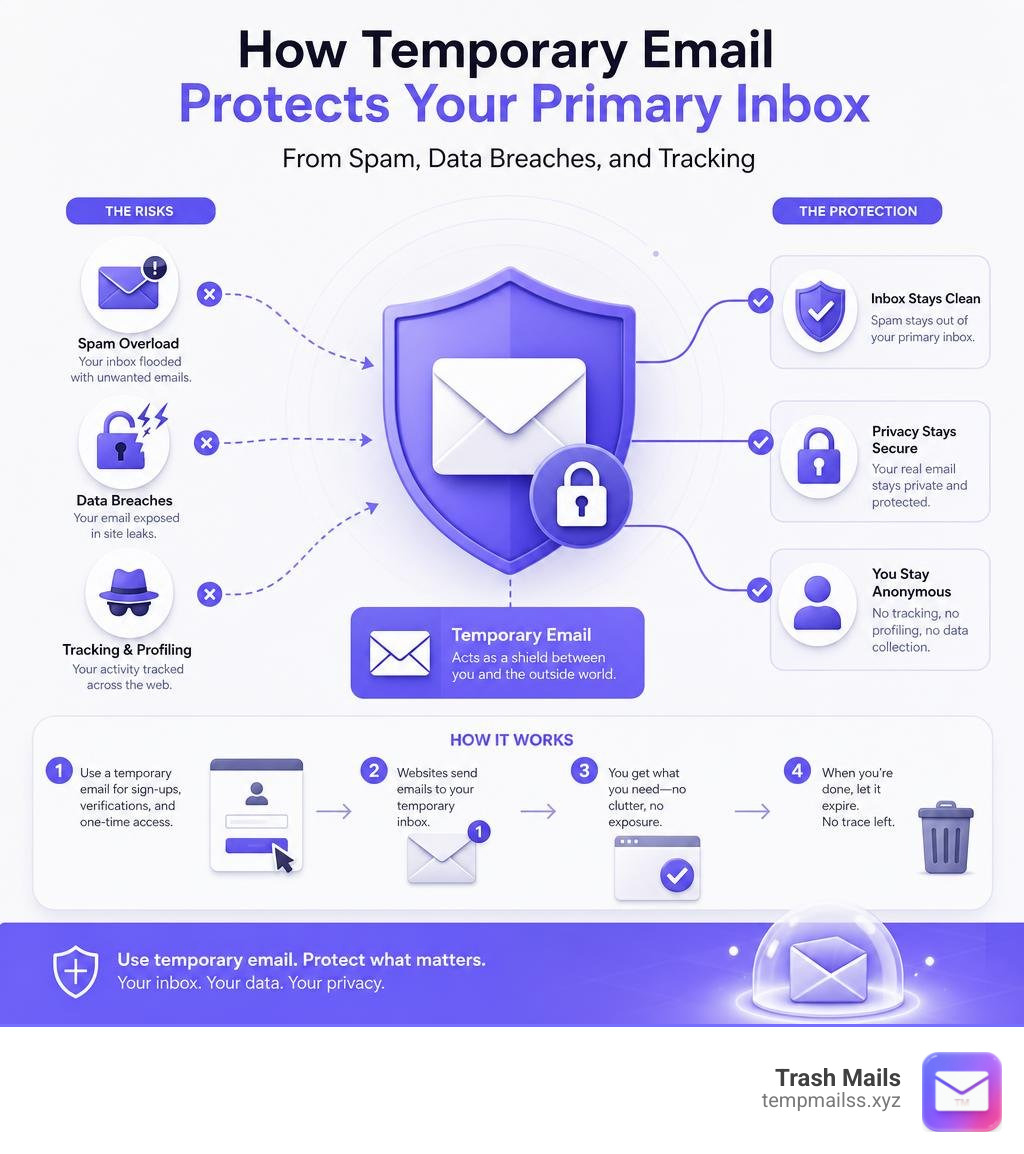
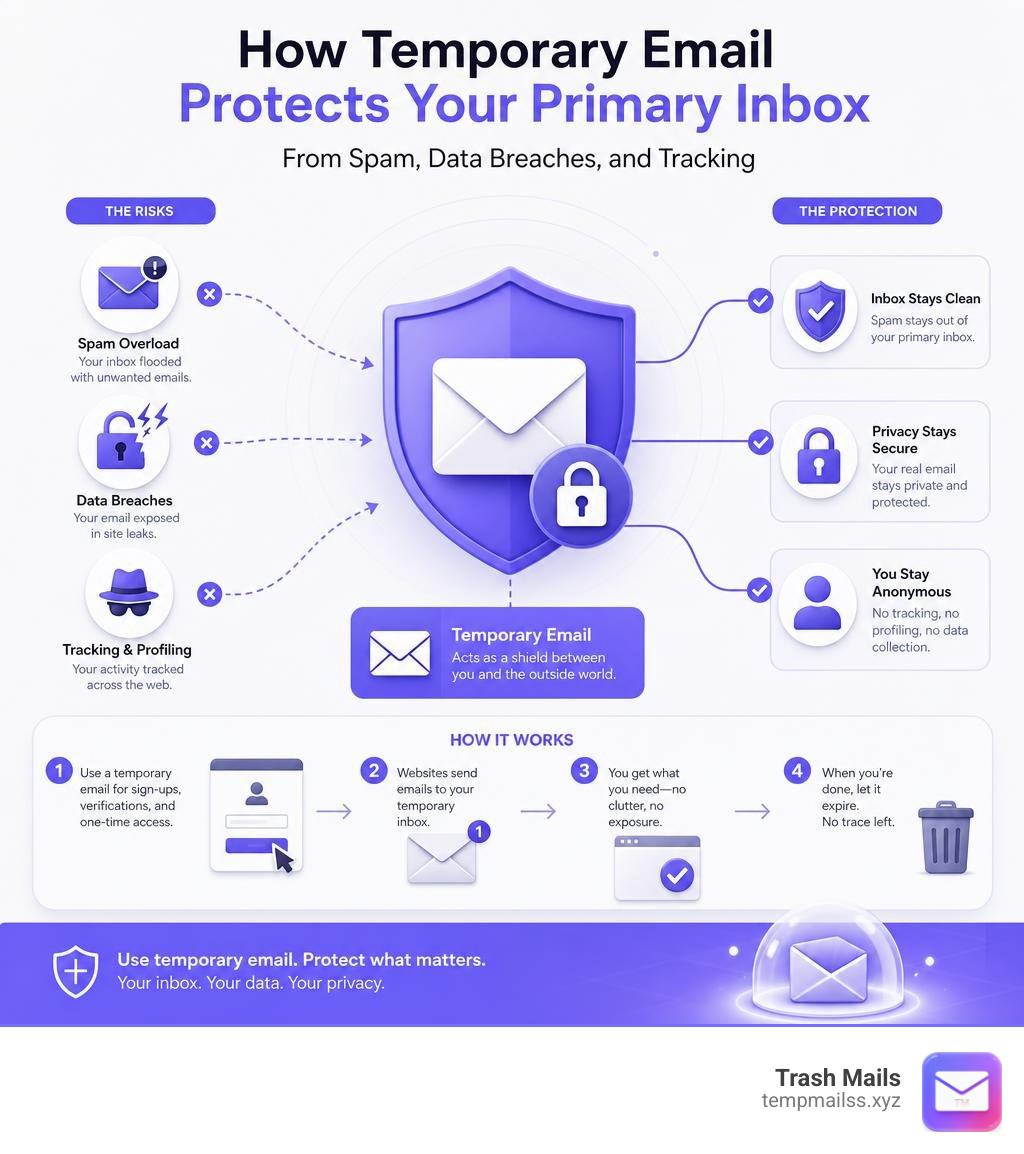
In 2026, your primary email address is no longer just a way to receive messages. It acts as a master key to your digital identity. Advertisers, data brokers, and tech platforms use your email to stitch together your browsing habits, physical location, and purchase history into a highly profitable ad profile.
When you use your real Google account to sign up for minor services, you are essentially handing over a permanent tracker. If that minor service suffers a data breach, your primary email is instantly exposed to malicious actors, leading to targeted phishing campaigns, credential stuffing attacks, and identity theft. Using temp google accounts or disposable email addresses breaks this chain of tracking.
Bypassing Verification and Free Trial Limits
We have all been there: you want to try a new Software-as-a-Service (SaaS) tool, download a research paper, or test an app, but you are blocked by a mandatory email verification wall. These platforms often put you on aggressive automated email drip campaigns the moment you verify your address.
Furthermore, popular artificial intelligence platforms have strict usage limits on their free tiers. For example, the Google Gemini free tier limits your daily prompts and resets these quotas on an account-by-account basis.
By utilizing temporary Google-compatible email addresses, you can easily spin up fresh accounts to reset these limits. For developers and QA teams, having access to multiple disposable addresses is a necessity. It allows them to test user registration flows, email notification triggers, and API integrations within a clean, sandboxed environment without cluttering their personal inbox or hitting rate limits.
Protecting Your Digital Identity from Spam
The moment your email address enters a marketing database, it becomes "marketing fuel." Automated programs scrape these lists, sharing and selling your contact details across networks. If you use your primary email to sign up for a public Wi-Fi hotspot at an airport or coffee shop, you will likely see a surge in spam messages within 24 hours.
Worse yet, if one of those databases is leaked in a public data breach, hackers will use your email to attempt "credential stuffing"—using automated software to test your email and common password combinations across hundreds of other websites. Isolating these low-trust sign-ups by using a temporary address ensures that even if a site is breached, your primary digital identity remains completely untouched and secure.
The Reality of Creating a Temporary Gmail Address
Many users wonder if they can simply go to Google and register a brand-new, official Gmail account to use as a temporary burner. While this is technically possible, Google's infrastructure is built on trust, security, and long-term user retention. They do not want users creating thousands of rapid-fire burner accounts, and they have built highly sophisticated systems to prevent it.
Because of this, creating an official Google account is no longer a five-second process. Google's advanced fraud detection looks at your IP address, browser cookies, device fingerprint, and physical location. If their system suspects you are automated or creating a burner, they will immediately demand SMS phone verification.
| Feature | True Temporary Gmail (via Trash Mails) | Standard Google Account |
|---|---|---|
| Setup Time | Instant (under 5 seconds) | 5–10 minutes |
| Registration Required | No | Yes (Name, DOB, Password) |
| Phone Verification | Never | Often required (SMS) |
| Anonymity Level | High (No personal data collected) | Low (Linked to IP, phone, browser) |
| Inbox Lifespan | Temporary (Auto-cleared) | Permanent |
| Best Use Case | One-time verifications & trials | Personal banking, official business |
Why Plus-Addressing Fails to Protect Your Privacy
A common "trick" recommended by tech blogs is plus-addressing. This involves adding a plus sign and a keyword to your existing Gmail address (for example, yourname+temporary@gmail.com). While Google officially supports this syntax and routes any email sent to that address directly to your primary inbox, it fails as a privacy tool for two major reasons:
- No Anonymity: Your real username (
yourname) is still completely visible. Anyone who looks at the email address instantly knows your primary identity. - Easily Bypassed: Modern marketing scripts and spammers are smart. They use simple code to automatically strip out everything between the
+and the@symbol before saving your address to their databases. If they do this, their spam bypasses your custom filters and lands straight in your main inbox anyway.
The Limitations of Dot Variants and Gmail Aliases
Another native Gmail feature is the "dot concept." Google's mail servers ignore periods in Gmail usernames. This means that yourname@gmail.com, y.o.u.r.n.a.m.e@gmail.com, and your.name@gmail.com all point to the exact same inbox.
While this allows you to create variations of your email for different services, it suffers from the same fatal flaw as plus-addressing: it does not hide your actual identity. Because all mail sent to these dot variants routes directly to your primary storage, you are still cluttering your real account.
Furthermore, there is no simple "kill-switch" to disable a dot variant. If a spammer gets hold of y.o.u.r.n.a.m.e@gmail.com, the only way to stop the incoming messages is to build complex manual filters in your Gmail settings to automatically delete them. This is a tedious workaround that does not solve the root problem of inbox clutter and data exposure.
Methods for Generating Disposable Google-Compatible Emails

If native Gmail workarounds do not provide true privacy, how do you get a temporary address that actually works? The key lies in using disposable email generators that leverage trusted domains.
Many high-reputation websites and verification systems automatically block standard disposable domains ending in .temp, .xyz, or .info. They do this because they know these domains are used for throwaway accounts. However, because Gmail has a near-perfect domain reputation, verification emails sent to a Google-formatted address almost always bypass these filters and arrive in under 10 seconds.
The Risks of Using Unsecured Third-Party Temp Accounts
When searching for temporary email solutions, you must be careful about which services you trust. Many generic, free temporary email platforms operate on public, shared inboxes. This means that if you generate an address like user123@tempdomain.com, anyone else who visits the site and generates that same address can view your inbox.
If you used that address to sign up for a service, another user could easily request a password reset, receive the verification link in the shared inbox, and take over your account. Additionally, these unsecured services often lack SSL/TLS encryption, exposing your private verification codes, activation links, and personal data to network sniffers and bad actors.
How to Use Trash Mails for Instant, Secure Temp Emails
At Trash Mails, we have built a secure, private, and incredibly fast solution to this problem. We provide instant, unlimited, and completely free temporary Gmail-compatible addresses without requiring any registration or personal information.
Our service operates on a receive-only model. This design decision is intentional: by blocking outbound emails, we prevent our servers from being abused by spammers, which keeps our domain reputation pristine and ensures your verification codes are delivered instantly.
If you are looking for an instant way to handle these verifications, you can use our Free Temp Mail - Instant Disposable Email (10 Min) | TempMailss generator.
For those who want to see a step-by-step visual guide on how this process works, this video on How To Create Unlimited Temporary Gmail Accounts for Free is incredibly helpful.
Using our platform is simple:
- Open our web app to instantly receive a randomly generated, high-reputation temporary email address.
- Copy the address and paste it into the registration form of the website you want to use.
- Watch your verification code or magic link arrive in real-time in our secure browser-based inbox.
- Close the page when you are done. Your temporary inbox data is securely sandboxed and automatically deleted, leaving no trace behind.
Frequently Asked Questions about Temporary Emails
Can you use a temporary email for Google Gemini?
No, you cannot use a standard temporary email domain to sign up directly for a Google account to access Gemini, because Google's fraud detection systems block recognized disposable domains.
However, there is an effective workaround: you can create a dedicated, secondary Google account to use as an AI sandbox. During the registration process, use a temporary email address from our service as your "recovery email." This allows you to complete the setup securely, verify the account, and isolate your Gemini conversations and API testing from your primary Google identity. This is particularly useful if you want to protect your privacy, as human evaluators sometimes review Gemini conversations for quality assurance.
How long do temporary email addresses typically last?
The lifespan of a temporary email address depends on the service provider. Many standard temporary mail services automatically delete your inbox and all received messages after a set period, typically 10 minutes to 24 hours.
At Trash Mails, we prioritize user convenience alongside security. Our temporary inboxes persist in your browser's local storage (localStorage). This means your address remains active and accessible as long as you keep your browser tab open or return to the site before clearing your browser data. Once you decide you no longer need the inbox, you can manually delete it with a single click, triggering an immediate and permanent wipe of all messages from our servers.
Is it legal to create multiple Google accounts?
Yes, it is entirely legal to create and maintain multiple Google accounts. Millions of users manage separate accounts for personal use, work, school, and software testing.
However, you must be aware of Google's Terms of Service. While manual creation of a few accounts for legitimate privacy, testing, or sandbox purposes is perfectly fine, using automated scripts, bots, or bulk-creation software to generate hundreds of accounts rapidly is a direct violation of their policies. Google's anti-abuse systems monitor for this behavior and will quickly flag your IP address, require phone verification, or issue permanent bans on the bulk-created accounts. For quick, automated, or high-volume testing, using a dedicated disposable email service like ours is always the safer and more efficient choice.
Conclusion
Your primary email address is your digital home. Just as you wouldn't give your home address to every store you walk into, you shouldn't share your primary Gmail with every website that asks for it.
By understanding the limitations of native Google workarounds and utilizing high-reputation, secure disposable email addresses, you can easily bypass annoying verification walls, protect yourself from data breaches, and keep your personal inbox completely free of spam.
Take back control of your digital privacy. Secure your inbox today with Trash Mails and experience a cleaner, safer, and faster way to navigate the web.










