
I Got 847 Emails in One Month — Here's How Temp Mail Fixed That
I was trying to download a free Photoshop preset pack from some random design blog. The site wanted my email. I thought, eh, it's just one signup — and handed over my main Gmail address without a second thought.
Big mistake. Huge.
Within 48 hours, my inbox turned into a warzone. Flash sale alerts, "exclusive" webinar invites, newsletters I never subscribed to, and — the worst part — obvious phishing attempts. All from one innocent little email field.
That was my introduction to the ugly side of the internet. And it pushed me to finally figure out something I'd been ignoring for years: temporary email addresses.
If you've never used one, or you've heard of them but weren't sure when or how to use them — this is the guide I wish I had back then.
So What Even Is a Temp Email?
I'll skip the textbook definition because honestly, the best way to understand it is through a scenario.
You want to read a Medium article, but they want you to sign up. You don't actually want a Medium account — you just want that one article. Or you're downloading a free font, and the site demands an email to send you the download link.
In both cases, you need something that looks like a real email — but you don't want to give away your actual inbox.
A temporary email (also called a disposable email, fake email, or throwaway email) gives you exactly that. It's a functioning email address that works for receiving emails — no registration, no password, no personal info required. You use it, get what you need, and it disappears.
When I Actually Started Using Temp Emails (And Why It Changed Everything)
After the Bad Mail disaster I mentioned, a developer friend suggested I try a temp mail service. I was skeptical — it sounded sketchy, like something only hackers use.
But then I actually tried it.
The first time, I used it to sign up for a trial of some project management tool. I needed to test it for a freelance project, but I knew the moment that trial ended, they'd bombard me with "Come back!" emails forever. I popped in a temp address, confirmed the account, used the tool, and moved on. My real inbox? Untouched.
That feeling of control was genuinely satisfying.
Since then, I use temp email almost daily. Here's a rough list of situations where I reach for it:
- Free trials where I know I won't continue paying
- Downloading free resources (PDFs, templates, presets, plugins)
- Testing web apps I'm building or reviewing
- Forum signups on niche sites I'll visit once
- Coupon and deal sites that require an email to show the code
- Entering contests or giveaways (honestly, those mailing lists are relentless)
- Reading paywalled content that lets you in with a free account
The list goes on. Once you start, you'll be surprised how often this comes in handy.
How to Use a Temp Email — Step by Step
It's stupidly simple, but let me walk through it properly.
Step 1: Go to a temp mail service
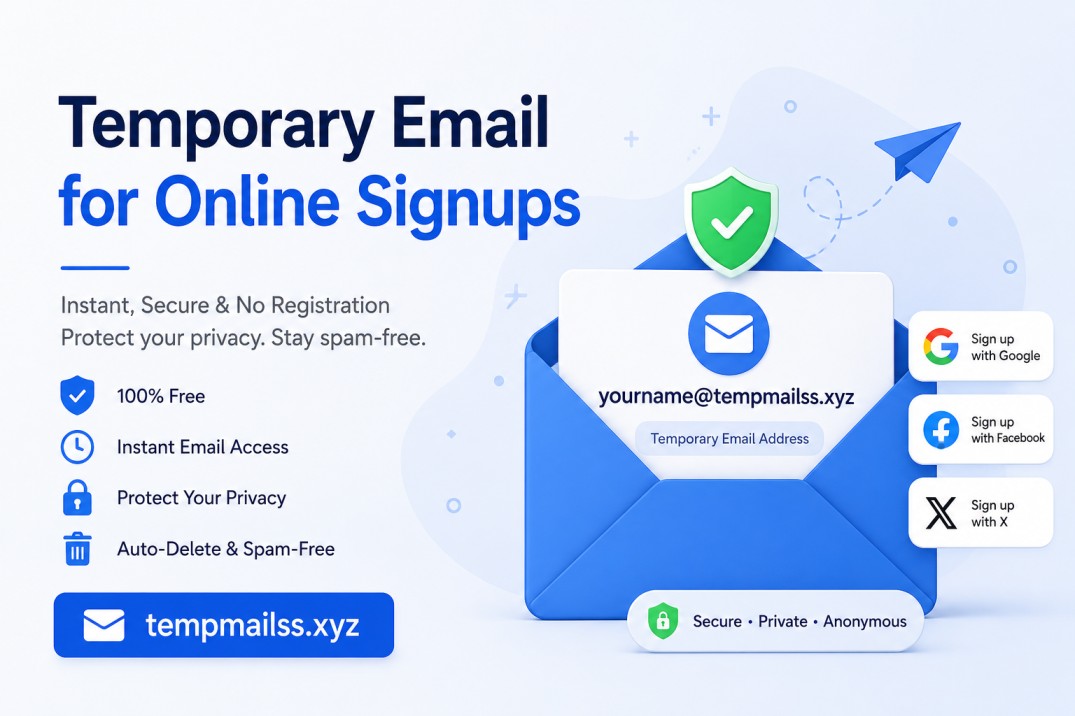
There are quite a few options out there. One I've used and find reliable is tempmailss.xyz. It gives you an inbox instantly — no login needed.
Step 2: Copy the generated email address
As soon as the page loads, you'll see a random email address waiting for you. Something like zk7m2px@tempmailss.xyz. Copy it.
Step 3: Paste it wherever the site is asking for your email
Go back to the website asking for your email, paste your temp address in the field, and complete the signup or download process.
Step 4: Wait for the confirmation email
This is the part that surprised me the first time — it actually works. Go back to your temp mail inbox tab and refresh (or just wait — some services auto-refresh). You'll see the confirmation email land in there.
Step 5: Click confirm, grab what you need, and move on
Open the email, click whatever link you need to, and you're done. No bad mail to deal with. No follow-up emails. No "we noticed you haven't logged in" guilt trips.
That's it. The whole thing takes about 30 seconds.
Mistakes I Made Early On (So You Don't Have To)
Mistake #1: Using temp email for accounts I actually wanted to keep
This sounds obvious in hindsight, but I once signed up for a service I ended up loving — using a temp address that had already expired. When I tried to reset my password later, the recovery email was gone. I couldn't get back in.
Lesson: If there's any chance you'll want the account long-term, use your real email. Temp email is for throwaway signups only.
Mistake #2: Not copying the email address carefully
One time I accidentally pasted the address with a trailing space. The website accepted it, but the confirmation email never arrived — it went to some nonexistent address with a space in it. Always double-check what you're pasting.
Mistake #3: Expecting it to work for everything
Some websites have gotten smarter. They block known temp mail domains. If you run into that, just try refreshing or using a different service — most good temp mail tools generate fresh domains regularly to stay ahead of blocklists.
Mistake #4: Using it for sensitive accounts
Banking, healthcare, anything involving real identity or financial info — never use a temp email for these. You need real recovery options for anything that matters.
Who Actually Uses Temp Email? (More People Than You'd Think)
I asked around in a couple of developer Slack communities I'm part of, and the answers surprised me.
Developers use it constantly for testing. Every time you build a registration flow and want to test the confirmation email, you don't want to create 40 fake Gmail accounts. Temp mail handles that instantly.
Journalists and researchers use it to access websites and platforms without revealing their identity or creating a paper trail.
Gamers use it to create alt accounts or test games without committing their main email.
Regular people use it to avoid inbox clutter — which is exactly where I started.
It's way more mainstream than people think. It's not shady. It's just... smart.
What About Privacy? Is This Actually Safe?
This is a fair question, and I want to be honest about it.
Temp email protects your real inbox — but the temp inbox itself isn't encrypted or private in the way a secure email client would be. The emails you receive in a temp inbox could theoretically be seen by anyone who has that address (since there's no password).
So the rule I follow: never receive sensitive information through a temp email address. Use it for confirmation links, download links, coupon codes — public-facing stuff. Don't use it if someone's sending you a document with personal data or anything confidential.
A Few Things Worth Knowing About Temp Email Services
Not all of them are the same quality. Here's what separates the good ones from the annoying ones:
Auto-refresh inbox: The better services update your inbox automatically, so you're not sitting there clicking refresh every 5 seconds waiting for your confirmation email.
Multiple domains: Some websites block temp mail domains. Good services have multiple domains to rotate through, so you're not stuck.
Copy button: Sounds trivial, but having a one-click button to copy the email address saves you from typos.
No registration required: The whole point is to avoid giving out your real info. A temp mail service that asks you to create an account to use it is kind of defeating the purpose.
Inbox lifespan: Most temp emails last anywhere from 10 minutes to a few hours. Some let you extend the time. Know the policy of the service you're using.
Tempmailss.xyz ticks most of these boxes — the inbox is clean, it loads fast, and you're ready to use it the moment you land on the page.
The Bigger Picture: Why Your Inbox Deserves Protection
Here's something worth thinking about: your email address is basically a key to your digital life. It's tied to your bank accounts, your social media, your streaming services, your work. When you hand it out carelessly, you're essentially giving a copy of that key to strangers.
Bad Mail is annoying. But the deeper issue is data brokers — companies that collect email lists and sell them. Once your address is on those lists, it never really leaves. You'll keep getting emails for years from companies you've never heard of.
Temp email is a small habit that protects a big thing.
I'm not saying never give out your real email — obviously, you need it for things that matter. But for everything that doesn't matter? There's no reason to expose your actual inbox.
Final Thoughts
Honestly, I wish someone had told me about this years ago. It's one of those tools that seems niche until you use it once, and then you wonder how you ever managed without it.
The next time some random website asks for your email in exchange for a PDF guide, a free trial, or access to a single article — you don't have to say no to the content. Just give them an address that doesn't matter.
Your real inbox will thank you.
If you want to try it right now, head over to tempmailss.xyz — you'll have a working email address in about three seconds, no setup required.










