
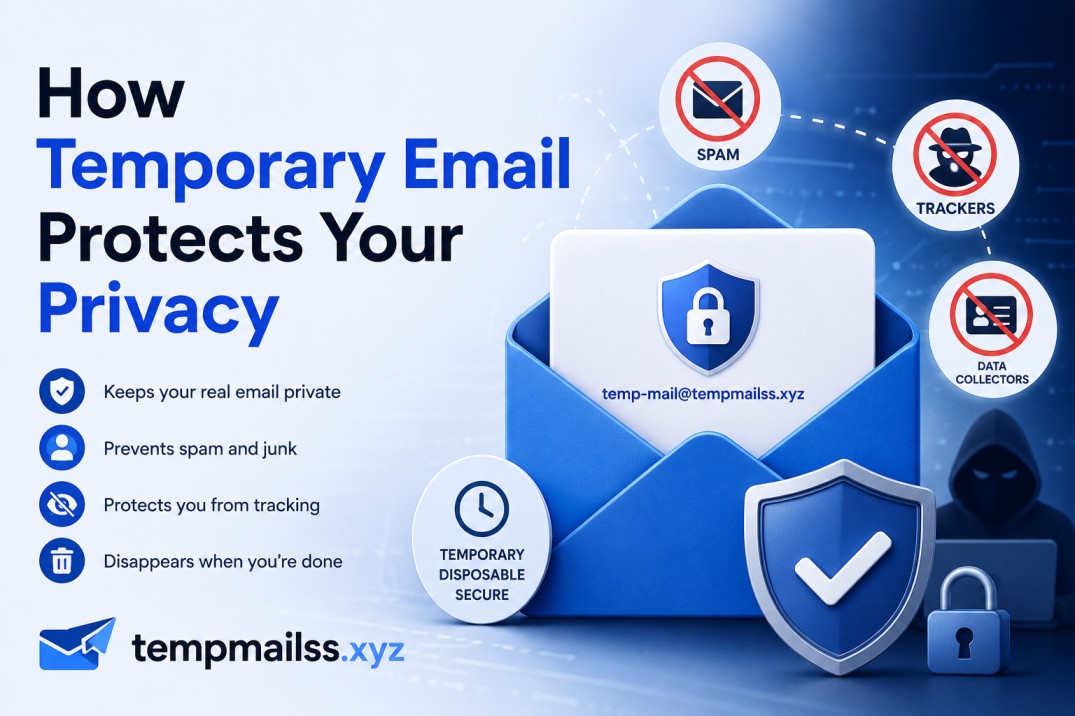
How Temporary Email Protects Your Privacy (And Why Your Real Inbox Is More Exposed Than You Think)
It started with one of those "verify your email" prompts from some random cooking website I visited once, looking for a pasta recipe. I figured — whatever, it's a food blog. I typed my real Gmail. Got the recipe. Moved on.
About two weeks later, I started getting emails from companies I had never heard of. A supplements brand. A VPN service. A "limited-time" real estate investment newsletter. Then came the phishing attempt — a fake PayPal email that was shockingly convincing. I almost clicked it.
I traced it all back to that food website. Turns out, they had a data broker partnership buried in their privacy policy — the kind written in 4-point font that no human actually reads. My email had been legally sold, packaged, and distributed to dozens of marketing lists.
One pasta recipe. Months of cleanup.
That's when I started taking email privacy seriously. And honestly, temporary email addresses changed how I operate online.
Your Email Address Reveals More Than You Realize
Here's the thing most people don't think about: your email isn't just a communication tool. It's an identity anchor.
When companies collect your email, they can tie it to your browsing behavior, purchase history, location data, and social media profiles. Data brokers — companies whose entire business model is buying and selling personal information — use email addresses as a primary key to link all of that together.
So when you hand your email to a sketchy site (or even a legit one with aggressive marketing partners), you're not just giving them a way to contact you. You're potentially handing them a thread they can pull to unravel a lot more about who you are.
Temporary email addresses cut that thread before it starts.
What Temporary Email Actually Does for Your Privacy
Let me break this down practically, because "protects your privacy" can sound vague.
It keeps your real identity detached from throwaway signups.
When you use a temp email from tempmailss.xyz, the address has zero connection to you. No name. No phone number. No browsing history. No location. It's a randomly generated string that exists for a few hours and then disappears. Whatever company receives it gets... nothing they can use to identify you.
It prevents cross-site tracking via email.
A lot of advertisers use your email address to match you across platforms. If Facebook, Google, and some random e-commerce site all have the same email address on file, they can share audience data and build a more complete profile of your behavior. Temp email breaks that chain because the address never appears in any consistent place.
It stops spam before it starts — permanently.
With your real email, the best you can do after the damage is done is unsubscribe, filter, or block. That's reactive. Temp mail is proactive. The address expires before anyone can really do anything with it.
It limits exposure in data breaches.
This one matters a lot. Companies get hacked. It happens all the time — not just to small sites, but to massive ones. When a breach happens, the leaked data typically includes email addresses and passwords. If you used a temp email for that account, your real address isn't in the leaked dataset. Your other accounts — your bank, your work email, your Apple ID — stay protected by separation.
Real Scenarios Where This Actually Matters
Theory is fine. Here's where temp email earns its keep in real life.
Downloading Free Resources
You found a great resume template, a free Lightroom preset pack, or an Excel budget spreadsheet. The site wants your email to send you the download link. You're never going to visit this site again.
Use a temp mail. Get the link. Grab the file. Done. Your inbox never sees a single follow-up.
Trying a New App or SaaS Tool
I do this constantly. Before committing my real email to any new product, I want to poke around and see if it's actually useful. But most apps won't let you in without email verification.
Temp mail lets me explore freely. If the product is genuinely good and I want to keep using it, I'll create a real account properly. If it's mediocre or the free tier is basically unusable without upgrading, I close the tab and the temp inbox disappears with it.
No follow-up emails. No "we miss you, here's 20% off" sequence for the next six months.
Signing Up for Forums and Communities
Online forums are goldmines for specific knowledge — niche subreddits, technical communities, hobbyist groups. But to post, you usually need an account, which means email verification.
For communities I'm just casually browsing or asking a one-off question, I don't want to commit my real address. Temp mail gets me registered, lets me participate, and leaves no permanent trail.
Entering Contests and Giveaways
Online giveaways are basically structured ways to collect email lists. The prize is real, sure — but so is the marketing database they're building. Every entry is a permission slip to email you forever.
If you want to enter without consequences, temp mail is the move. You can still win (the address works during the contest period). You just won't spend the next year unsubscribing from their "community newsletter."
Accessing Paywalled Articles
Some news sites give you a few free articles per month before the wall goes up. Creating a free account often resets or expands that. Temp mail makes those account creations zero-commitment.
Step-by-Step: How to Use Temp Mail to Protect Yourself
It's genuinely fast. Here's the flow:
Step 1: Before filling in any signup form, open a new tab and go to tempmailss.xyz.
Step 2: You'll see a randomly generated email address waiting for you — something like h7mp3@tempmailss.xyz. Copy it.
Step 3: Paste it into the email field on whatever site you're signing up for. Complete the signup.
Step 4: Switch back to your tempmailss.xyz tab. Within a minute or two, the confirmation email or verification code will appear in the inbox.
Step 5: Click the verification link or copy the OTP code. You're in.
Step 6: Walk away. The temp inbox will eventually expire on its own. Nothing to delete, nothing to manage.
That's seriously the whole process. Thirty seconds, start to finish, once you've done it a couple of times.
The Mistakes That Can Trip You Up
I learned a few of these the hard way, so I'll save you the frustration.
Using temp mail for accounts you'll need long-term.
A temp email address isn't recoverable after it expires. If you lock yourself out of an account — forget your password, get flagged for suspicious activity, need to confirm a device — and the email is gone, you've likely lost that account for good. Keep real, important accounts tied to real, recoverable addresses.
Assuming temp mail = complete anonymity.
This is a big one. Temporary email protects your inbox identity — it stops companies from connecting their email list to you personally. It does not hide your IP address. It does not encrypt your connection. It's not a substitute for a VPN or Tor if you need actual network-level anonymity. Know what it does and what it doesn't do.
Waiting too long to check the inbox.
Some verification codes expire in 5–10 minutes. If you go make a cup of coffee and come back, the code might be stale. When using temp mail for time-sensitive signups, have both tabs open and move quickly.
Using it for sensitive or legal communications.
Medical records, legal documents, financial accounts, government portals — these need your real identity and a permanent address you control. Temp mail is for low-stakes situations. It's not hardened infrastructure.
Picking a sketchy temp mail service.
Not all temp mail services are equal. Some log your emails. Some have poor uptime and you'll miss the verification email entirely. Some load your screen with malicious ads. Stick to clean, reliable services — which is exactly what tempmailss.xyz is built to be.
A Note on What "Privacy" Actually Means Here
I want to be straight with you, because this matters.
Temporary email is a privacy tool, not a security tool. The distinction is real.
Privacy is about controlling who knows things about you. Temp mail excels at this — it stops companies from building profiles on you based on your email activity.
Security is about protecting against active threats. For that, you need strong passwords, two-factor authentication, and a solid password manager (1Password and Bitwarden are both excellent).
These tools work best together, not as substitutes for each other. Use temp mail to keep your identity compartmentalized. Use proper security practices to protect the accounts that actually matter.
Why This Habit Is Worth Building
There's a version of the internet where you give out your real email to every site, app, and form that asks — and you just deal with the consequences. Most people live in that version. Their inboxes are cluttered, their data is everywhere, and every six months they're cleaning up after some breach or spam wave.
Then there's a version where you've trained yourself to ask one quick question before typing your email anywhere: Do I actually want a relationship with this website?
If the answer is no — or "maybe, let me check first" — temp mail is your answer. It takes a few extra seconds upfront and saves you a disproportionate amount of noise later.
The people who've developed this habit all say the same thing: they wish they'd started sooner. I'm in that camp. The pasta incident was annoying and correctable. But I spent almost three months rebuilding trust in my own inbox — questioning every email, second-guessing every link — before things felt normal again.
A throwaway email address costs you nothing. The alternative costs you a lot more than you'd expect.
Got a question about when to use temp mail or how it fits into your privacy setup? Leave a comment — I read them all.










