
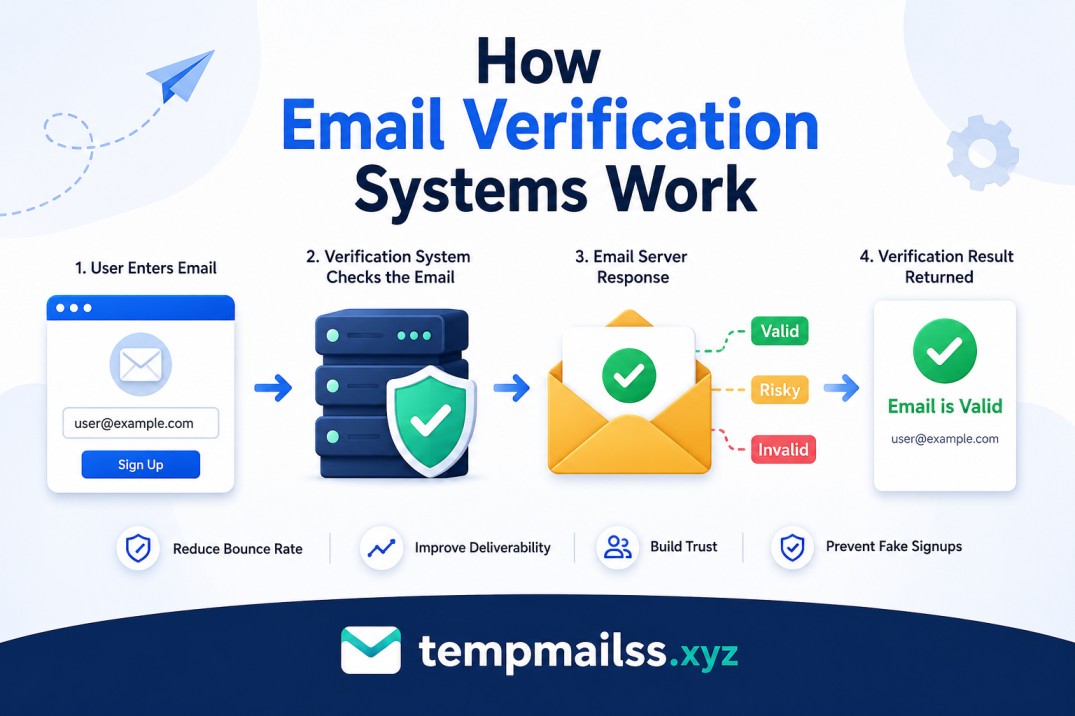
How Email Verification Systems Work
A few years back, I signed up for a SaaS tool I was genuinely excited about. Entered my email, hit submit — and then nothing. No welcome email. No "check your inbox" message. Just silence.
I waited five minutes. Then ten. Checked spam. Nothing.
Turned out I'd made a typo. One missing letter in my domain. The site accepted it without a single complaint, and I spent the next hour confused before figuring out what went wrong.
That experience got me curious about how email verification actually works — because clearly, not all systems are built the same way. Some catch that kind of mistake instantly. Others let garbage through without blinking.
After digging into this for a while (partly out of frustration, partly because I was building my own signup form), here's everything I wish I'd known earlier.
What "Email Verification" Actually Means
First, let's clear something up — email verification isn't one single thing. People use the term to mean at least two different things:
- Format/syntax validation — checking if the email looks real
- Existence verification — checking if the email actually exists
And then there's a third thing that often gets lumped in:
- Ownership confirmation — making sure the person signing up actually owns that inbox (this is the "click the link in your email" step)
Most systems use all three layers, but they work at different stages and in very different ways. Let me walk through each one.
Layer 1: Syntax Validation (The Fast Check)
This is the first thing that happens — usually before you even click "submit."
Your browser or the server checks if the email format looks valid. Think of it as a basic grammar check. It looks for:
- The
@symbol (required, obviously) - A domain name after it (like
gmail.com) - A valid TLD (like
.com,.net,.org,.xyz) - No illegal characters (spaces, commas, double dots, etc.)
If you type john@ or john.gmail.com, it'll fail here.
This check happens almost instantly using something called a regular expression (regex). It's a pattern-matching rule that developers write to describe what a valid email "shape" looks like. Here's a simplified version of what one looks like under the hood:
^[a-zA-Z0-9._%+-]+@[a-zA-Z0-9.-]+\.[a-zA-Z]{2,}$
Yeah, it's not pretty. But it works for catching the obvious stuff.
Where it falls short: Syntax checking doesn't know if supermadeupaddress@gmail.com actually exists. It just says "yep, looks like an email to me." That's why you need the next layer.
Layer 2: Domain and MX Record Check
This one trips people up the most, and it's actually pretty fascinating.
Once the format is valid, the next check looks at the domain — the part after the @ sign. Specifically, it checks for something called MX records (Mail Exchange records).
Every domain that can receive email has MX records set up in the DNS (Domain Name System). These are basically instructions that say "hey, this domain's emails should be routed to this mail server."
So if someone enters john@totallymadeupdomain12345.com, the system does a quick DNS lookup and finds — no MX records. Domain doesn't receive email. Rejected.
This happens behind the scenes in milliseconds, and it catches a ton of fake signups.
Real example: I once watched someone try to sign up with a company email that had recently shut down. The domain existed (the website was still up), but the email infrastructure had been torn down. The MX records were gone. Verification failed — even though the domain looked legitimate.
Layer 3: SMTP Handshake (The Deep Check)
This is where things get really interesting — and where it gets controversial.
Some email verification systems go a step further and actually knock on the mail server's door. They use something called an SMTP handshake to ask:
"Hey, does this mailbox exist?"
Here's how it works:
- The verifier connects to the domain's mail server (found via MX records)
- It initiates an SMTP session — the same protocol email servers use to talk to each other
- It sends a
RCPT TOcommand asking about the specific email address - The mail server responds: either "250 OK" (address exists) or "550 No such user" (doesn't exist)
- The verifier disconnects without actually sending anything
No email is ever sent. The whole thing takes about a second.
The problem? Many big mail providers (Gmail, Yahoo, Microsoft) have gotten wise to this and now return "250 OK" for every address — whether it exists or not. This is called a catch-all configuration, and it basically defeats SMTP verification for those domains.
So SMTP checking is still useful for corporate/custom domains but less reliable for the big free providers.
Layer 4: Sending the Verification Email (The Gold Standard)
This is the one most people are familiar with — the classic "click the link in your email" flow.
It's simple in concept but clever in execution:
- User enters their email and submits the form
- System generates a unique token — a long random string like
a7f3bc29e1d84... - System sends an email to that address with a link containing the token
- User clicks the link
- System matches the token, marks the account as verified, and lets the user in
That token is usually:
- Single-use (click it once, it's gone)
- Time-limited (expires in 15 minutes, 24 hours, etc.)
- Stored in a database and tied to the email address
If someone enters fake@gmail.com, they'll never receive the email. They can't complete verification. Account never gets fully activated.
This is why it's considered the most reliable method — it doesn't just check if the email exists, it confirms the person has access to it.
OTP vs. Magic Links vs. Classic Links
You've probably noticed that not all verification emails look the same. There are basically three styles:
Classic verification link:
"Click here to verify your email: [long URL]"
This is the old-school approach. Simple, effective, but kind of clunky on mobile.
Magic link:
"Click to log in — no password needed: [link]"
These skip the password entirely. The link is the login. Popular with newer apps because it removes friction.
OTP (One-Time Password):
"Your verification code is: 847293"
Instead of clicking a link, you type a 6-digit code. This is better for mobile apps where opening a link in an email and switching back to the app is annoying.
Each has tradeoffs. Links are convenient on desktop. OTPs work better in apps. Magic links are the smoothest experience but require good email deliverability to work reliably.
What Happens on the Backend (The Part Nobody Talks About)
Here's something I didn't fully appreciate until I built a signup flow myself.
Generating a secure verification token isn't as simple as just making up a random number. You need to:
- Use a cryptographically secure random generator (not just
Math.random()— that's predictable) - Store the token hashed in your database (not in plain text, so if your DB leaks, tokens can't be exploited)
- Set an expiry time and clean up expired tokens regularly
- Handle edge cases: what if someone requests a second verification email before clicking the first?
That last one bit me. A user could theoretically request 500 verification emails and flood someone's inbox with them — a tactic sometimes used for harassment. Good systems rate-limit verification requests and invalidate old tokens when new ones are issued.
Common Mistakes (That I've Either Made or Watched Others Make)
Mistake 1: Only doing client-side validation
If you only check email format in the browser (JavaScript), anyone can bypass it by disabling JS or sending a direct POST request to your server. Always validate on the server too.
Mistake 2: Not setting token expiry
I once found a verification link in an old email that still worked six months later. That's a security risk. Set your tokens to expire — 24 hours is usually enough.
Mistake 3: Blocking temp mail without thinking
A lot of developers knee-jerk block temporary email services entirely. But that's worth thinking twice about — especially if you're building something people need privacy for. Temp mail exists for a reason.
Mistake 4: Sending verification emails from a no-reply address
People sometimes reply to verification emails with questions. If you send from noreply@yourapp.com, those messages disappear into the void and you look unprofessional.
Mistake 5: Forgetting to handle email re-verification
What happens when a user wants to change their email? You need to verify the new address before switching — otherwise someone could accidentally (or maliciously) lock themselves out.
Why Temp Mail Services Exist in This Ecosystem
Speaking of temp mail — it fits into this whole picture in an interesting way.
Sites like tempmailss.xyz provide real, working email addresses that pass all the standard verification checks — syntax, MX records, even the verification email actually lands and you can read it.
The difference is that these inboxes are temporary and don't require personal information to create. They're built on real mail infrastructure with valid MX records, so they pass the technical checks most websites run.
People use them to:
- Test their own apps (developers do this constantly)
- Sign up for a newsletter without giving a personal address
- Try out a service before committing
From a technical standpoint, they work just like any other email for the purposes of verification.
The Arms Race Between fake-account and Verifiers
Here's something worth knowing: email verification isn't a solved problem. It's an ongoing battle.
fake-account creators are constantly finding ways around verification. And the defenders are constantly improving their checks. Some of the more advanced techniques now being used:
Disposable domain detection: Maintaining updated lists of known temp-mail domains and blocking them (though these lists get outdated fast as new domains pop up).
Behavioral analysis: Looking at how quickly a user filled out the form, mouse movement patterns, etc. to detect bots before they even submit.
Email activity scoring: Some third-party APIs (like ZeroBounce, NeverBounce, or Kickbox) go beyond SMTP checks and score an address based on historical data — has this address been seen spamming before? Is the domain brand new?
Honeypot fields: Hidden form fields that real users never fill in. Bots often fill every field automatically. If the hidden field has a value, it's probably a bot.
None of these is foolproof on its own. That's why good systems layer multiple approaches.
Quick Summary of What Happens When You Type Your Email
To tie it all together — here's the full journey of an email address from the moment you type it to the moment you're verified:
- You type your email → Browser may do instant format checking (regex)
- You hit submit → Server re-validates the format (never trust client-side only)
- Domain check → DNS lookup for MX records to confirm the domain can receive email
- Optional SMTP check → Some systems ping the mail server to verify the mailbox
- Token generated → A secure, unique, time-limited code is created
- Verification email sent → Lands in your inbox with a link or OTP
- You click/enter the code → Token is validated against the database
- Account marked verified → You're in
The whole process is designed to be invisible when it works. You only really notice it when something breaks — like when your email never arrives, or when you try to sign up with a typo and the system catches it immediately.
Wrapping Up
Email verification feels like a mundane technical detail — until you realize how much thought goes into making it work reliably. There are layers of checks, edge cases to handle, security considerations, and constant evolution as both fake-account and defenders get smarter.
If you're building something: invest in proper verification. Rate-limit your tokens, expire them, validate server-side, and think carefully about which emails you want to allow or block.
If you're just a regular user wondering why some sites verify your email instantly while others seem stuck in 2005 — now you know why. Some teams just put more thought into it than others.
And if you ever need a quick, working email address for testing or privacy — that's exactly what tempmailss.xyz is there for.










